
Everyone thinks they do the most.
Now you can just look.
WhoDidIt is a household chore tracker for iPhone. Log a chore in two taps, and the app draws the whole family's week — one square per person, per day.

The argument nobody can win
Families argue about who does more housework, and everyone genuinely believes they do the most. That isn't dishonesty — it's memory. You remember your own effort vividly and everyone else's dimly, and so does everyone you live with.
That argument is unwinnable by memory. WhoDidIt replaces memory with a record: what was done, by whom, for how long, with a photo if you want one.
What it looks like
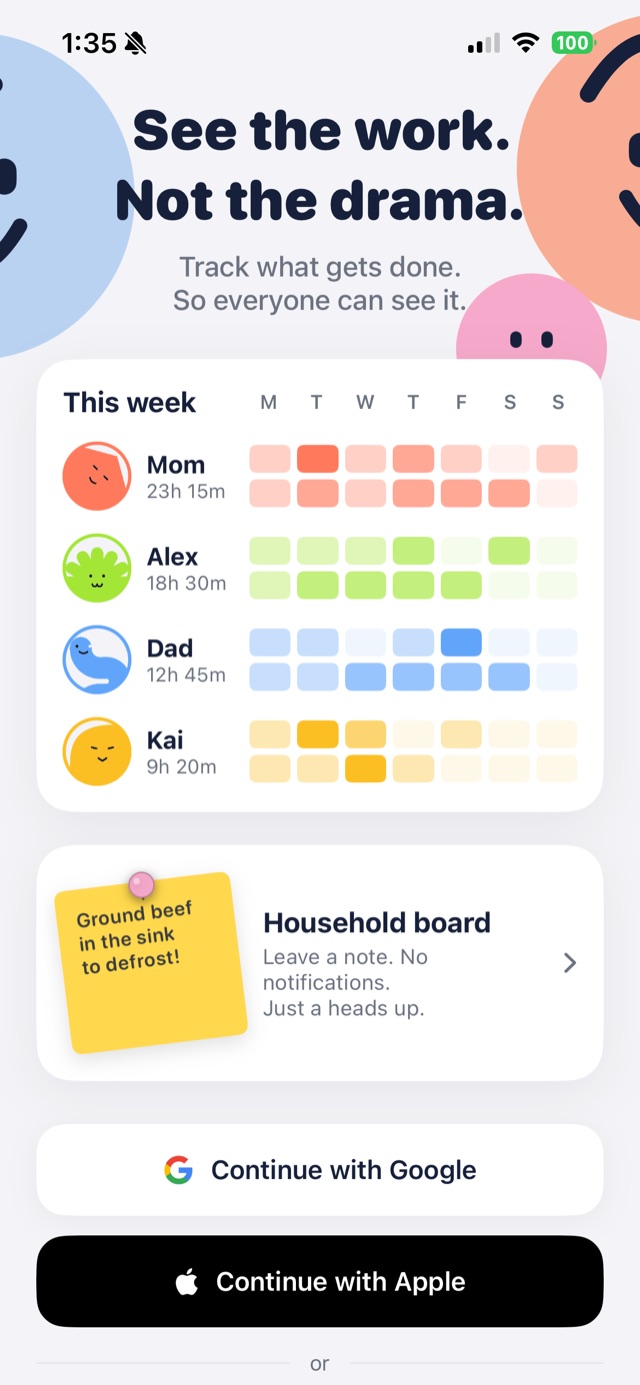
StartApple or Google. No password to invent.
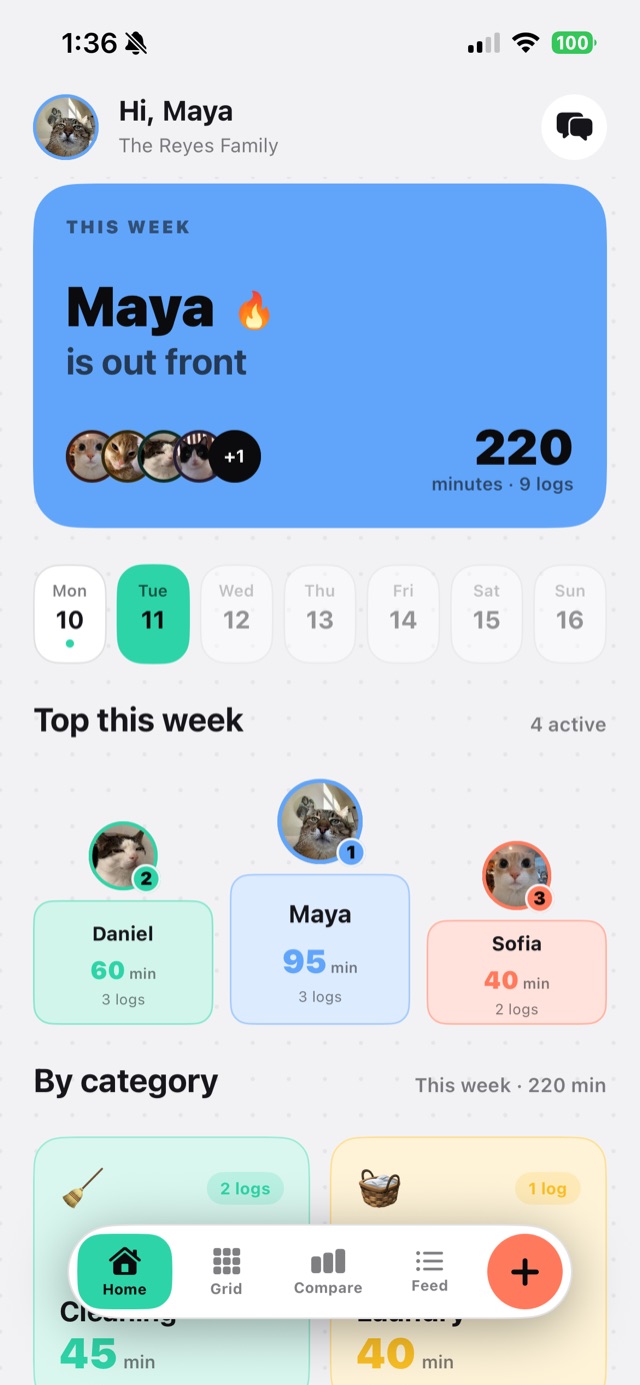
HomeWho's out front this week, at a glance.
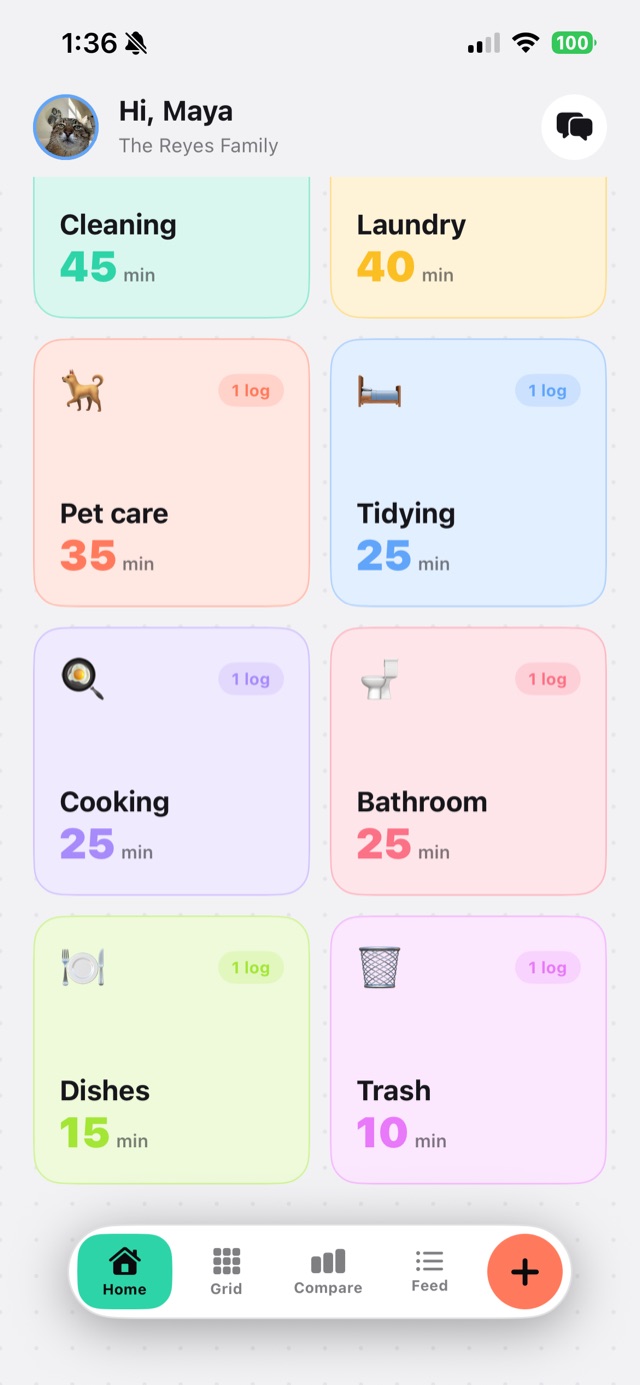
CategoriesWhere the week's minutes actually went.
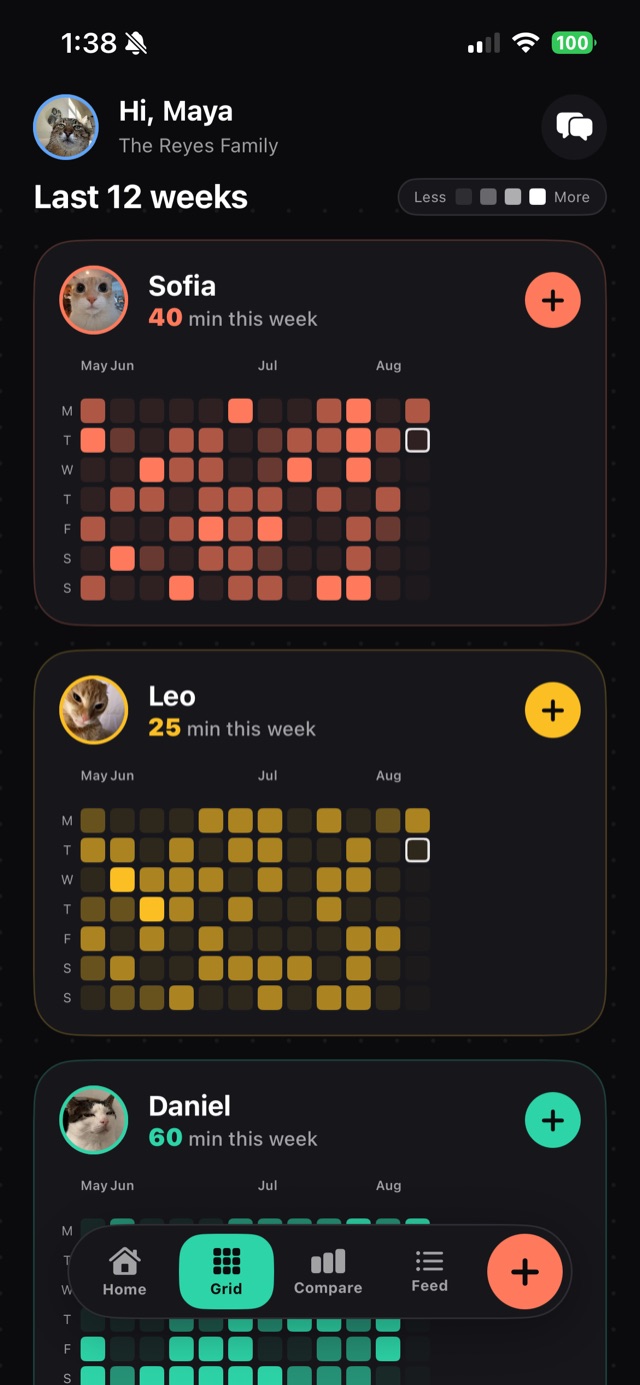
GridThree months per person. Bolder means more.
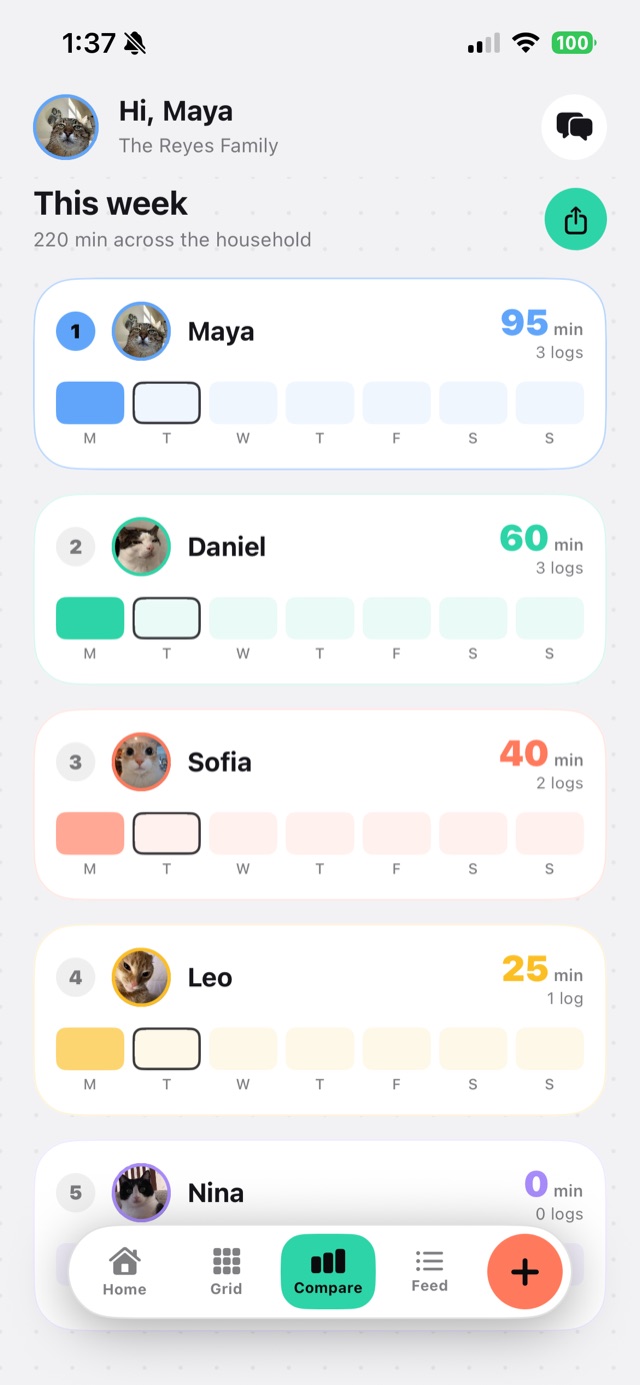
CompareThis week, ranked. The one people screenshot.
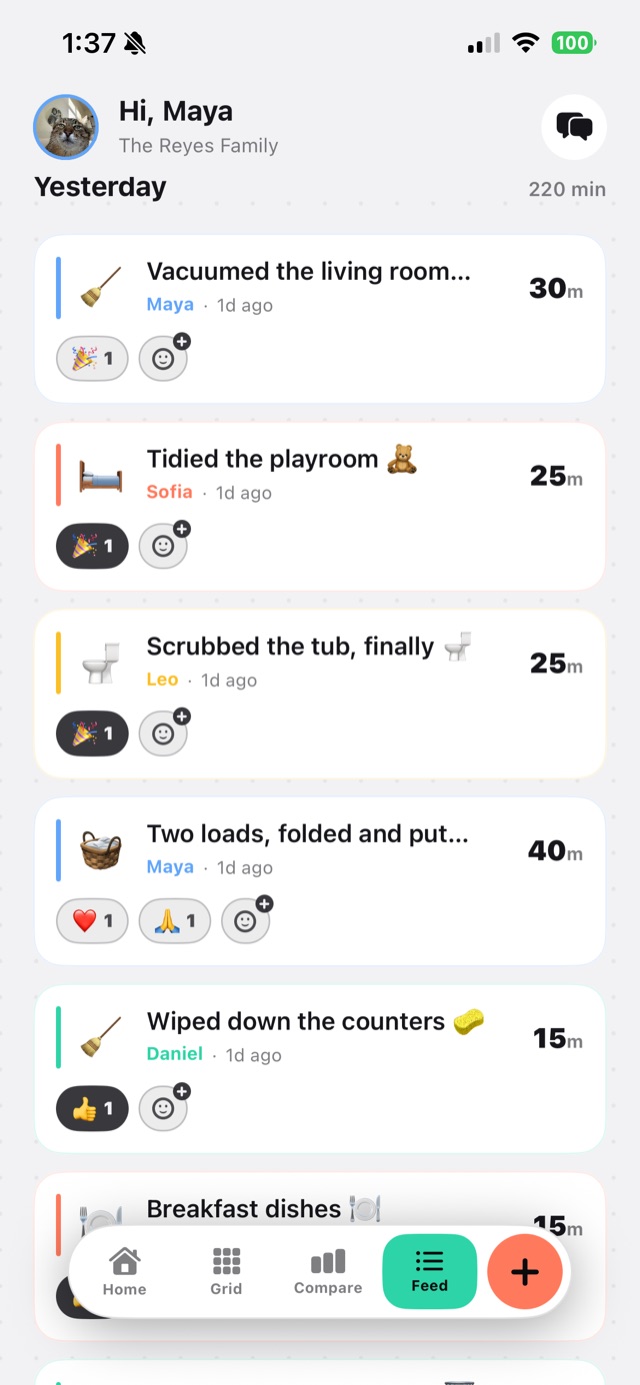
FeedEvery log, with a thank-you attached.
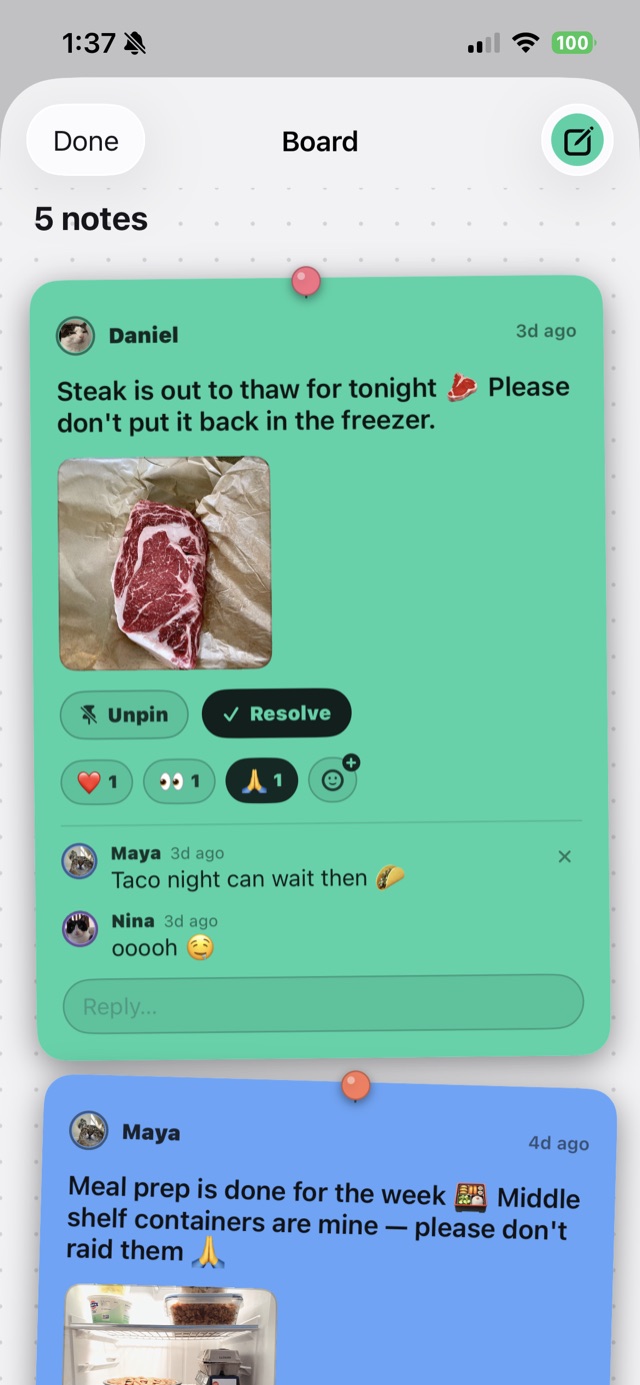
BoardSticky notes that don't notify anyone.
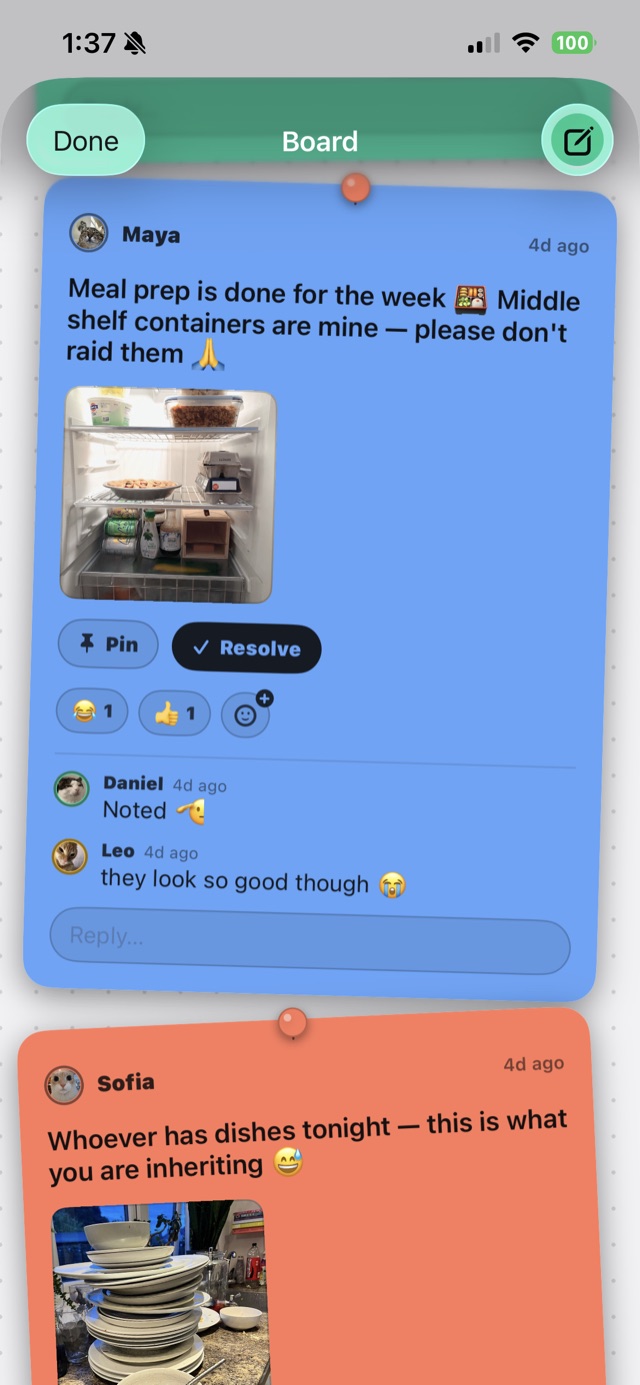
RepliesAnswer on the note, not in the group chat.
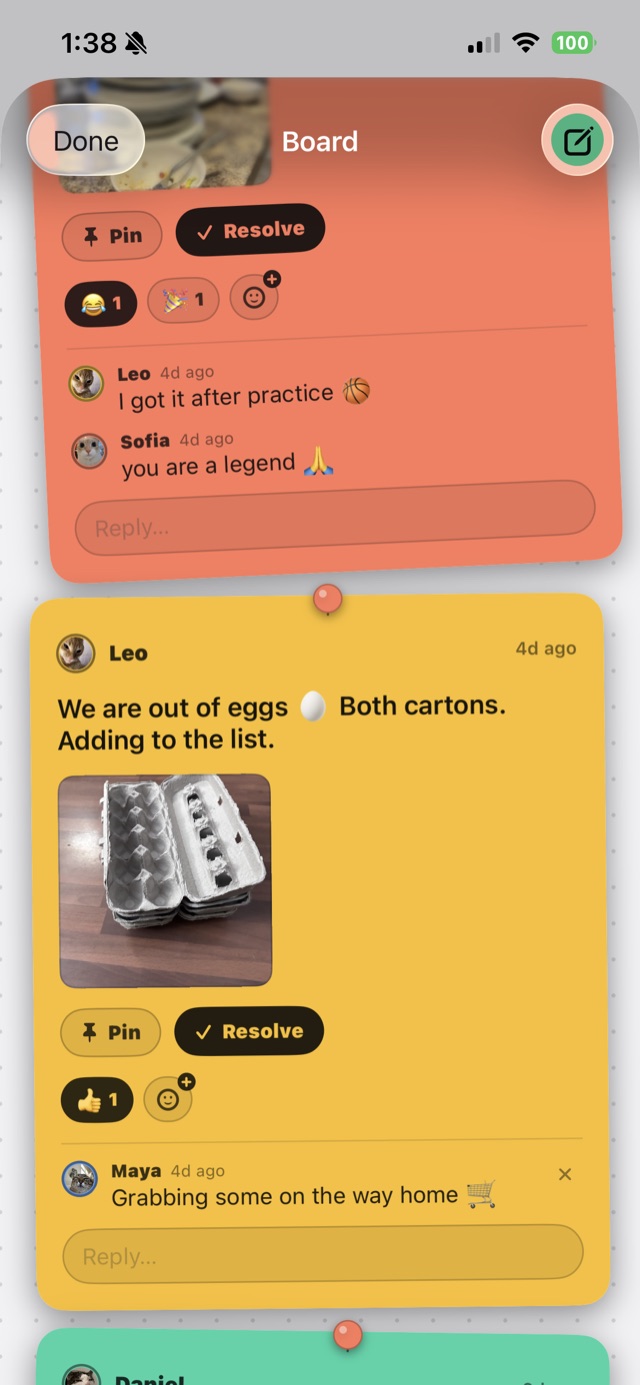
Heads-upOut of eggs. Now everybody knows.
A bulletin board that stays quiet
Someone leaves ground beef in the sink to defrost. In a group chat, asking whose it is interrupts four people. On the board, they left a note when they put it there — and you just look.
Notes retire themselves after a week, because defrosting beef isn't news by Thursday. There's one optional urgent toggle that does send a real notification, and because it's used rarely, it still means something.
Younger kids
An adult can add a managed profile for a child too young for a phone. They appear in the grid like everyone else, and the app stores nothing about them but a name, a colour and an emoji — no email, no birthday, no account.
What it costs
Free
- Unlimited members
- Unlimited chore logging
- The full bulletin board
- 30 days of grid history
- 3 photos per week
WhoDidIt Pro
- Three months of grid history
- Unlimited photos
- Home screen widgets
- CSV export
$2.99 monthly · $19.99 yearly · $59.99 once
One person buys it and the whole household unlocks. Only the buyer is charged.
Your family's data stays your family's
Your household's records are visible to your household and to nobody else. No ads, no analytics, no tracking, nothing sold to anyone.
Photos are deleted automatically after twelve months on every plan, including the one-time purchase. That's deliberate: a photo's job is proof at the moment of a disagreement, not an archive of your kitchen.
Support
Questions, bugs, or a request to delete your data: whodidit.app@gmail.com
Account deletion is also built into the app, under Settings — it removes your account and your data, no email required.

Hi, I'm Matthew — a broke computer science student still in college, just trying to solve my own problem here. Hope it solves yours too!